6 Top Personal CRM Software With Mobile Apps
For 2026, the most effective approach to relationship management is having a mobile-first system; a personal relationship assistant that fits in your pocket.



From close friends and family to professional contacts and freelance clients, 2026 is a year where we juggle a diverse network. Traditionally, these tasks relied on scattered notes, overflowing contact lists, and a thick stack of pages in your address book. However, smartphones have completely changed how we interact with information and with each other.

For 2026, the most effective approach to relationship management is having a mobile-first system; a personal relationship assistant that fits in your pocket.
Why Having A Personal CRM In Your Mobile Phone Matters
A personal CRM (Customer Relationship Management) is software designed to help individuals manage their relationships with other people. Unlike business CRMs, which are geared towards managing customer interactions for sales and marketing purposes, personal CRMs focus on your broader network: friends, family, colleagues, acquaintances, and even potential clients for freelance work. The core purpose remains the same: organize contacts, track interactions, remember key details, and facilitate timely follow-ups.
A mobile-friendly personal CRM takes this concept further by optimizing it for smartphone use. Its design, features, and user experience are built around mobile devices, prioritizing quick data entry, intuitive navigation on smaller screens, seamless integration with phone calls, SMS, and email apps, and smart notification systems to keep you on top of every interaction.
In 2026, our smartphones are an extension of ourselves. They serve as our primary communication devices, calendars, note‑takers, and gateways to professional opportunities, increasingly powered by AI that helps us organize, anticipate, and deepen our connections in ways that go beyond automation to strengthen real‑world relationships.
Below is a list of 6 personal CRM apps with mobile support, highlighting their key features and strengths:
Top Personal CRM Mobile Apps for 2026
All of the personal CRM apps below offer solid mobile support, but they differ significantly in how they capture interactions, surface reminders, and reduce manual upkeep. This comparison reflects feature sets and positioning based on early-2026 information, with a focus on mobile-first relationship management.
1. Dex
Mobile Support: iOS, AndroidPricing: Free 7-day trial; $12/month (annual)
What it does best: Full relationship context across social, email, calendar, and messaging, with proactive, interaction-based reminders.

Key Features:
Text Dex like a friend to log notes, set reminders, or search your network
Strong suit of integrations that track updates, conversations, and context across all contacts on multiple platforms
Pre-meeting brief emails that surface attendees, recent interactions, notes, and meeting history before meetings
An intuitive mobile app (available on iOS and Android) for managing relationships anytime, anywhere
Create notes, set reminders, add notes with voice and let AI cleanup format longer transcripts, all in one place.
AI-powered contact organization, including suggested grouping based on titles and profile data
Scan business cards on your phone to automatically create contact profiles with all relevant details
Dex Copilot to summarize history, update fields, add contacts to groups, and draft intros or messages based on contact history
Birthday, milestone, and event reminders to maintain personal connections at scale
Pros:
Integrates with more platforms than any other Personal CRM offering (socials, email, calendar, messaging)
Reduces cognitive load, letting you focus on building meaningful connections instead of tracking them manually
Advanced AI features, including SMS and WhatsApp AI Assistant
Compatible with both iOS and Android
Simplifies complex networks with intuitive visual boards and smart contact grouping
Cons:
Designed for individuals, not sales teams.
Does not show a deal pipeline line or support pipeline tracking.
2. Clay
Mobile Support: iOS onlyPricing: Free plan; Pro $10/month (billed annually) or $20/month (monthly); Team $40/month (up to 4 users)
What it does best: Social data enrichment, automatic updates, and smart reconnection prompts.
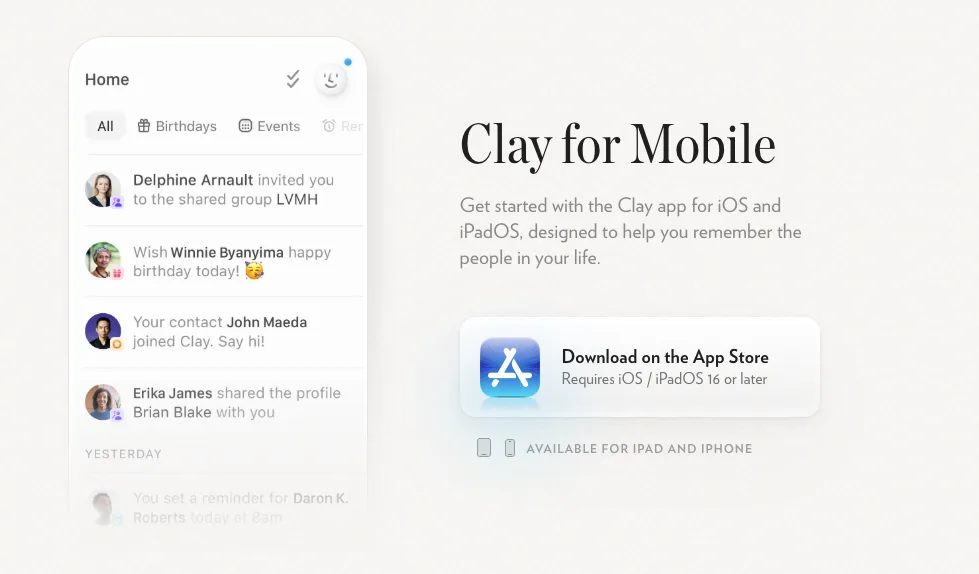
from clay.earth
Key Features:
Import contacts from LinkedIn, Twitter/X, Facebook, Instagram, Gmail, Google Calendar, Outlook, iCloud, Notion, and messaging apps
Centralized contact profiles with interaction timelines
Notes with labels, references, and tagging
Smart reminders and AI-powered reconnection prompts
Automatic enrichment of contact information (work, education, social updates)
Pros:
Automatically tracks social and professional profile changes
Clean, elegant, and user-friendly interface
Accessible via web and iOS mobile app
Cons:
No Android app
Some social contacts may still require manual CSV imports
Team features only available on higher-tier plans
3. Covve
Mobile Support: iOS, AndroidPricing: Free plan (up to 20 contacts); Pro $9.99/month (billed annually) or $12.99/month (monthly)
What it does best: Mobile-first networking, automatic contact updates, and proactive follow-ups.

from covve.com
Key Features:
Logs calls, texts, and emails automatically under each contact
Follow-up scheduling and reminders for meetings or check-ins
Business card scanning with accurate digitization
News and update alerts on contacts for timely conversation starters
Context-aware suggestions based on location, schedule, and interaction history
Pros:
Fully optimized for mobile use, keeping networking simple on the go
Sleek, intuitive interface
Smart reminders and alerts help maintain relationships proactively
Cons:
No desktop or full web app
Limited social media integration (no direct LinkedIn, Twitter, or Facebook syncing)
Free plan limited to 20 contacts
4. Notion
Mobile Support: iOS, AndroidPricing: Free plan; Paid plans $10/month (billed annually) or $12/month (monthly)
What it does best: Fully customizable CRM workflows for power users who want total control.
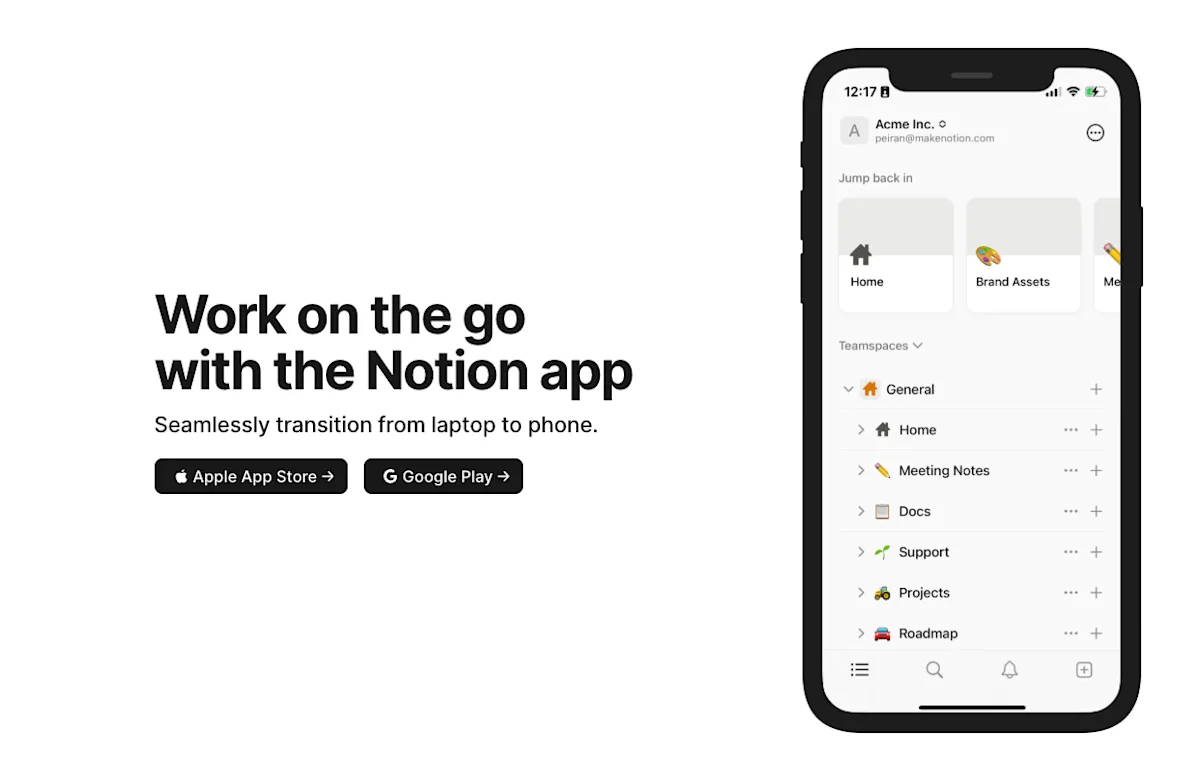
from notion.com
Key Features:
Customizable CRM templates and databases for contacts, notes, and events
Track interactions, priorities, and follow-ups with flexible properties
Integrates with broader personal and professional systems (projects, goals, calendars)
Link contacts to projects, tasks, or other workflow databases for unified tracking
Optional automation through integrations or third-party tools
Pros:
Extremely flexible and fully customizable
Free plan is robust enough for many individual users
Familiar interface for existing Notion users
Can serve as a unified workspace combining CRM, project management, and note-taking
Cons:
No native social or communication syncing (LinkedIn, Gmail, messaging apps)
Manual updates required to maintain contact info
Reminder automation is limited and usually requires third-party integrationsSteeper learning curve compared to ready-made CRMs
5. Cloze
Mobile Support: iOS, AndroidPricing: Free basic plan; Pro $17/month (billed annually) or $19.99/month (monthly)
What it does best: AI-driven follow-ups and reminders based on communication activity.
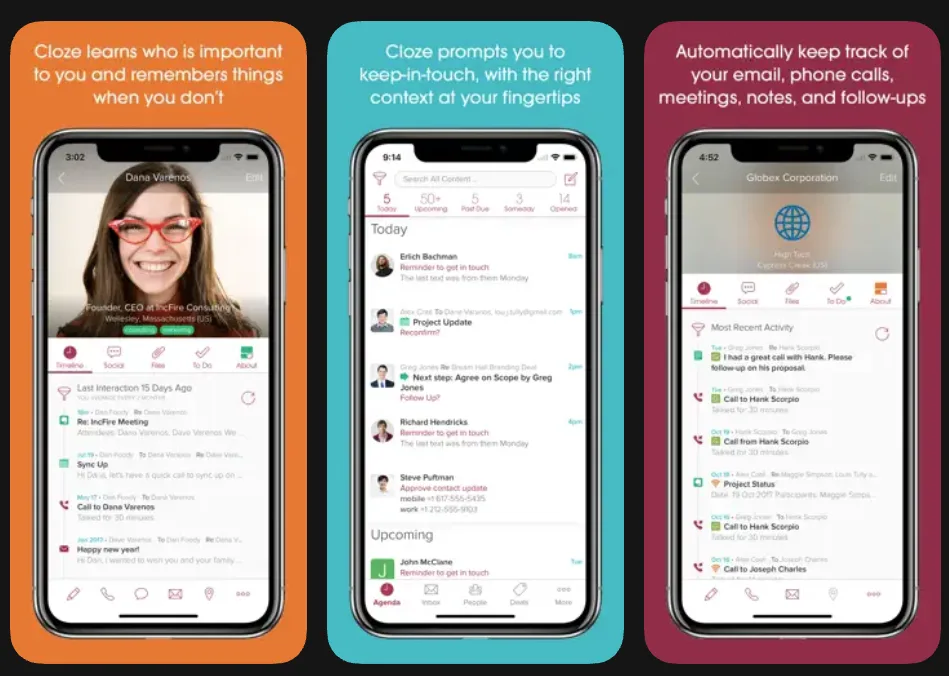
from the App Store
Key Features:
Unified view of contacts, emails, calls, and texts across devices
AI-generated follow-up recommendations to maintain relationships
Automatic logging from email and phone integrations
Works seamlessly on mobile, tablet, and desktop
Smart alerts for overlooked interactions and relationship gaps
Pros:
Reduces manual tracking of communications
Strong AI-driven reminder system
Cross-device support ensures continuity on mobile, tablet, and desktop
Cons:
Free tier is limited in contacts and features
Advanced features are more suited to teams than individual users
Some setup required to optimize AI recommendations
6. Contacts+
Mobile Support: iOS, AndroidPricing: Free plan; Premium $9.99/month; Teams $12.99/user/month
What it does best: Contact syncing, organization, and automated data cleanup.
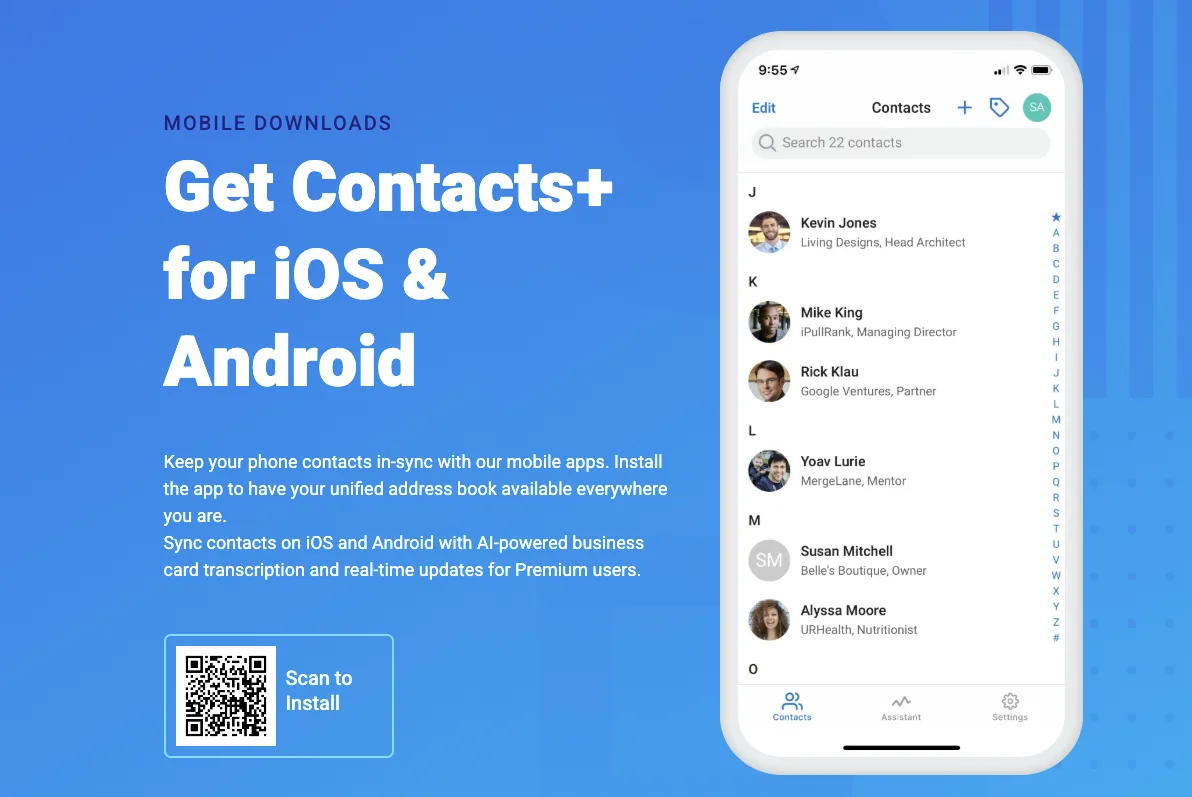
from contactsplus.com
Key Features:
Syncs contacts across Google, Apple, Microsoft, and other platforms
Duplicate detection and cleanup to maintain a clean contact database
Add notes, tags, and birthday reminders for each contact
Business card scanning for quick contact addition
Cross-device access ensures your contacts stay updated on mobile and desktop
Pros:
Reliable cross-platform syncing keeps contacts consistent
Strong organization and data-cleanup tools make contact management simple
Easy to use and mobile-optimized
Cons:
No AI insights or automated relationship suggestions
Limited depth for tracking interactions or relationship context
Free plan restricts some features and contact limits
Choosing the Right Personal CRM Mobile App
In 2026, mobile-first matters more than ever, but how you use your phone matters just as much.
Here’s a quick breakdown to help you decide:
Relationship intelligenceDex is built for people who want a clear picture of who to keep in touch with and why. It combines email, calendar, and social context with smart reminders, making long-term relationship upkeep easier without turning your personal life into a sales pipeline.
Networking on the goIf you’re meeting people regularly, logging conversations, and following up across email, calendar, and social platforms, Dex and Covve stand out. Dex is stronger for relationship context and long-term follow-ups, while Covve excels at quick capture and reminders.
Apple users focused on social dataClay works well if you’re deeply embedded in Apple’s ecosystem and want AI-powered reconnection prompts tied to updates on platforms like Twitter
DIY systems and custom workflowsNotion is ideal if you enjoy building your own setup and don’t mind manual updates. It’s flexible, but not proactive.
AI-assisted follow-ups across communication channelsCloze and Dex are a strong option if you want AI to surface reminders based on emails, calls, and texts, especially for heavier communication volumes.
Managing contacts across multiple accounts and devicesContacts+ shines at syncing, cleaning, and organizing contacts across platforms.
Why Dex Stands Out for Personal Relationship Management
What separates Dex from traditional contact managers and lightweight CRMs is its focus on relationship intelligence, not just data storage. Dex is built around how relationships actually work: conversations live across email, social media, and calendars, context matters more than timestamps, and following up consistently is harder than simply remembering someone exists.
By combining social, email, and calendar integrations with smart reminders and AI-assisted prompts, Dex helps you remember why a relationship matters and when to act, directly from your phone. Instead of reacting to missed messages or forgotten follow-ups, Dex makes relationship maintenance feel intentional and manageable, even as your network grows.
Whether you’re staying in touch with friends, growing a professional network, or managing freelance clients, Dex can turn scattered interactions into meaningful relationships.
Frequently Asked Questions About Personal CRM Apps
What is the best personal CRM mobile app?
There isn’t one “best” for everyone, but for most people who want relationship intelligence, proactive follow-ups, and social + email + calendar context, Dex stands out as the best all-around personal CRM.
What is a CRM mobile app?
A CRM mobile app is a contact and relationship management tool designed specifically for smartphones, with features like quick data entry, reminders, sync with email and calendars, and intuitive navigation on smaller screens. All of the tools in the article (Dex, Clay, Covve, Notion, Cloze, Contacts+, Orvo) fit this description.
Is there a mobile CRM for personal life?
Yes, there are CRMs built just for personal life. Tools like Dex help you manage your friends, family, colleagues, and networks the same way businesses manage customers. Instead of tracking sales, a personal CRM organizes your contacts, remembers key details, logs conversations, and reminds you when to follow up, all from your phone.